
Anúncios
You’ll get a clear roadmap to see how vehicle real time data powers safer, smarter operations across your fleet. This intro shows what modern gps and tracking tools can do for a single unit or an entire network.
Geotab, ranked #1 in commercial telematics by ABI Research, offers a unified safety platform that links assets with AI insights. Their GO Focus Plus AI dash cam gives instant in-cab voice alerts for distractions, tailgating, and rolling stops and uses Smart Sequence to highlight urgent events.
Expect practical guidance on the core parts of a modern solution: devices, software, and connectivity. You’ll learn installation basics, device choices from OBD-II plugs to AI dash cams, and how to pilot and scale with minimal disruption.
This section sets up what you need to weigh—safety gains, cost benefits, and driver support—so you can pick the right path forward with confidence.
Understand why real-time data matters for your driving, safety, and bottom line
Connected fleet intelligence turns every trip into an opportunity to reduce costs and keep people safer. Geotab notes that linking AI and smart insights helps managers coach and act without hunting through footage.
Anúncios
You’ll see clear benefits: fewer incidents and claims, lower fuel spend, and reduced maintenance that improve margins. These efficiency gains matter to operations and finance alike.
Second-by-second visibility lets you correct risky habits quickly so your drivers learn before a mistake becomes a collision. Live feeds also shorten response times for dispatch, roadside help, and customer updates.
“Connected intelligence reduces costs, enhances safety, and expands value for businesses.”
Anúncios
Continuous monitoring supports preventive maintenance, extends lifecycles, and lowers total cost of ownership. Exception alerts catch idling, harsh events, or unauthorized use so you can act fast.
- Operations: faster routing and fewer miles driven.
- Safety: coaching and metric-driven recognition that motivates drivers.
- Finance: validated service times and less paperwork for accurate billing.
By targeting outcomes like incident rate, coaching adherence, and on-time performance first, you set measurable goals that deliver the biggest advantages and benefits for your fleet.
What counts as vehicle data today and how it gets captured
Sensors and cameras now create layered records that explain not just where a trip went, but why.
Core types include GPS location, speed, heading, engine diagnostics (DTCs), fuel use, idling, and rich video context for driving events.
From location and engine signals to video context
OBD-II ports feed engine health and fault codes. Accelerometers spot harsh braking and impacts. AI-powered dash cams like Geotab’s GO Focus Plus add video context and detect distractions, tailgating, and rolling stops. That camera also gives instant in-cab voice coaching so drivers get corrective feedback.
Devices, sensors, and the software that ties them together
Small standalone trackers (LandAirSea included) can push gps updates as often as every three seconds or as little as three minutes. Software aggregates these signals into clear timelines you can filter by vehicles, driver, route, or event.
- High-frequency gps makes paths precise; lower intervals suit slow-moving assets.
- Video plus telematics explains spikes in speed and shows driver behaviors.
- Geofences and speed thresholds generate actionable alerts without noise.
- Retention policies can keep up to a year of historical trips and events for trend analysis and claims.
“Combining visual evidence with telematics turns raw signals into fair, specific coaching.”
How vehicle real time data flows from the road to your screen
Signals captured on the road follow a clear path before they reach your dashboard. A tracking device records motion, engine cues, and video. Then transmissions go out over satellite or cellular links to cloud systems that collect and normalize all inputs.
Tracking device to satellite/cellular to cloud systems
LandAirSea notes update intervals range from every three seconds to three minutes. Frequent sends make tight, accurate breadcrumb trails so your location data reads smoothly. Good antenna placement and a clear line of sight to the sky improve fix times and cut dropouts.
Dash cams, OBD-II, and telematics units working together
OBD-II plugs, telematics gateways, and AI dash cams merge engine signals, motion, and video into one coherent view. Geotab’s approach prioritizes urgent clips so managers see critical events first with Smart Sequence.
Turning raw signals into accessible information and alerts
Cloud platforms batch, compress, and normalize feeds from many makes and models. They test round-trip latency and fire alerts only when rules you set are met.
- End-to-end path: device → network → cloud → dashboard.
- Reliability tips: check antenna, carrier, and firmware sync.
- Performance: test latency and confirm the user experience matches your operational needs.
“Prioritizing events keeps you focused on what matters, not on chasing footage.”
Choose the right tracking device for your needs
Device choice depends on how often you need location updates and whether you want video-backed coaching. Start by matching power source, install style, and the features you expect from your platform.
OBD-II plug-in, hardwired GPS tracker, or AI dash cam
Plug-ins like the LandAirSea SYNC tap the OBD-II port so you skip charging and get engine reads. The LandAirSea 54 is a compact stand-alone gps tracker when you need portability or covert installs.
Battery life, update intervals, and app compatibility
Configure updates from every three seconds to three minutes depending on your plan and priorities. Choose short intervals for high-value assets and longer ones for parked equipment.
- Pros: OBD-II simplicity, hardwired permanence, dash cam coaching with video.
- Checks: battery life, waterproofing, mounts (magnetic, adhesive, harnessed).
- Costs: hardware + updates, video storage, and warranties affect total ownership.
“Match capabilities to use cases and confirm app support from your preferred companies.”
Set up and connect your tracking device the right way
The quickest wins come from correct placement, patient activation, and verifying the feed on both phone and desktop.
Activation, line-of-sight, and first-position fix tips
Activate the unit and give it several minutes to communicate with satellites. LandAirSea recommends waiting for a solid first position fix before you move the asset.
Place the device where it has a clear line to the sky and avoid thick metal or nearby electronics that block signals. If you hide the device, test to confirm fixes still occur.
Pairing with fleet tracking software or a mobile app
Pair the device to your preferred fleet tracking software and the mobile app. Verify that the map shows the correct location on both desktop and phone.
Check timestamps, breadcrumb accuracy, and that alerts arrive where you expect them. This ensures sync across users and systems.
Mapping, geofences, and speed alert configuration
Draw geofences around yards and customer sites and set speed thresholds by road type. Configure alert types and assign recipients so only the right people get notified.
- Activation checklist: first fix, placement, and reporting validation.
- Placement tips: clear sight lines, avoid interference, test before final mount.
- Testing steps: short route, check breadcrumbs, timestamps, and event detection.
- Fine-tune: update frequency, alert thresholds, labels on your map for clear reporting.
“Start simple: verify a solid fix, confirm app flow, then add geofences and speed alerts.”
Integrate data in a unified fleet management platform
Bring your video, location feeds, and behavior metrics together so teams act faster and smarter. A unified fleet management platform turns separate feeds into a single operational view you can use every day.
With platforms that blend AI dash cam video and telematics, managers rely on Smart Sequence to surface urgent events first for coaching and review. This speeds insight-to-action across operations and safety.
- Workflow: review a prioritized safety queue, jump into clips, and log coaching outcomes.
- Extendability: Marketplace add-ons and OEM access bring routing, maintenance, and industry modules into your solution.
- Accuracy: OEM feeds improve fuel, diagnostics, and odometer readings across mixed fleets.
Set role-based permissions so teams see only what they need. Integrate HR and risk software to sync driver rosters and policy acknowledgements.
“Unified platforms reduce vendor sprawl and make support and reporting simpler.”
Finally, feed KPIs to BI tools, schedule targeted reports, and follow change management steps so your users adopt the new software and love the experience. For a mature ecosystem and partner options, explore the Geotab Marketplace.
Coach safer driving with AI-powered video and instant feedback
AI dash cams now coach in the moment, turning risky moments into teachable ones. Geotab’s GO Focus Plus gives in-cab voice prompts for distraction, tailgating, and rolling stops so your drivers get corrective cues before events worsen.
Real-time voice coaching for distractions, tailgating, and rolling stops
The camera speaks when a risky pattern appears. That instant cue changes driving behaviors in seconds and reduces repeat incidents. Pairing video with gps and tracking signals shows exactly what happened and why.
Smart event prioritization so you review what matters first
Smart Sequence surfaces urgent clips first, so you don’t sift through hours of footage. Set alert sensitivity to avoid nuisance alerts while catching high-risk events.
- AI detects risky patterns and gives drivers on-the-spot prompts.
- Prioritization saves hours by showing the clips you need first.
- Use video and telematics to build trust and objective coaching.
- Create a positive coaching workflow that tracks outcomes and boosts morale.
“Instant feedback helps teams act fast and keeps the emphasis on safety and support.”
Use this solution to close reviews faster, update policies with clear information, and scale coaching across your fleet without overwhelming drivers.
Use gps tracking to improve routing, dispatch, and time on task
Smart routing combines live traffic feeds and current locations to shave minutes off each stop. By linking live gps to your dispatch flow, you reduce out-of-route miles and tighten ETAs so crews meet service windows more often.
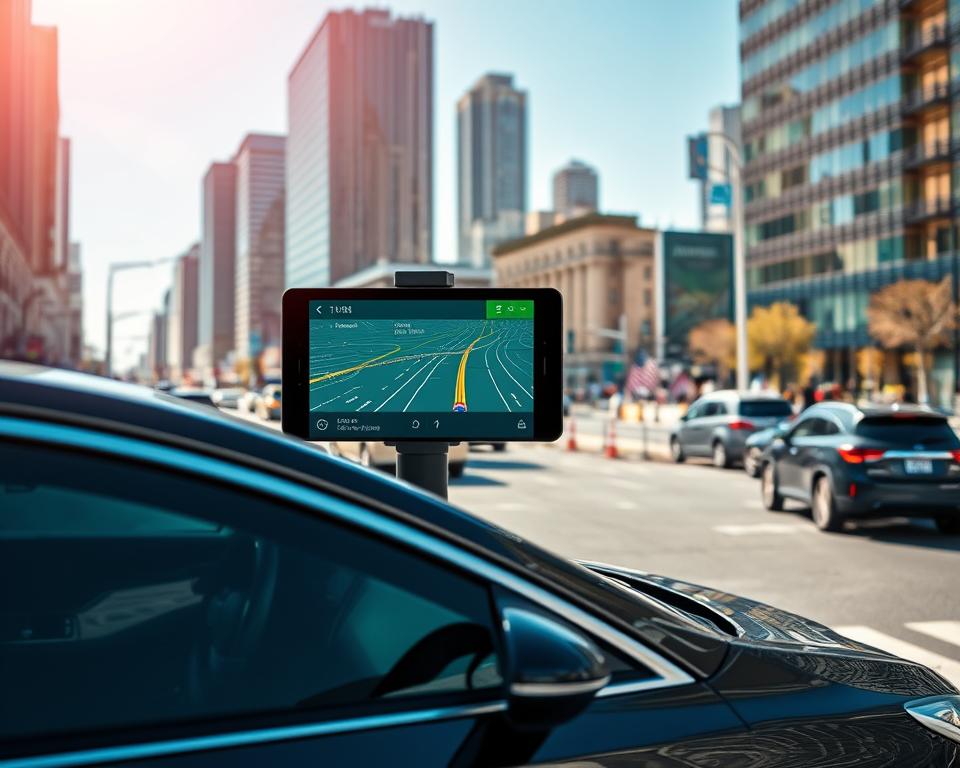
Finding the most efficient route based on live traffic and locations
You’ll learn how Geotab’s routing and dispatching tools use live location and traffic insights to boost productivity and lower costs. Routes update when conditions change so dispatch stays in sync with the field.
- ETAs and miles: gps tracking tightens arrival estimates and cuts unnecessary miles.
- Map visibility: visualize progress on the map and insert urgent jobs with one click.
- Proof and billing: geo-stamped signatures and timestamps speed invoicing and reduce disputes.
- Performance checks: monitor dwell, loading times, and detours to find bottlenecks.
- Integration: connect route plans to your tracking software so changes flow instantly to drivers.
Balance route density with driver hours and use benchmarks to improve routes over weeks. Align routing KPIs—on-time rate, missed windows, and first-time success—with customer experience goals.
“Tighter routing boosts efficiency without adding vehicles or headcount.”
Monitor fuel, maintenance, and asset utilization for lower costs
Start by tracking fuel use and idling to find immediate savings across your fleet. Geotab helps you monitor consumption with clear reports and driver training tools that target wasteful behaviors.
Fuel reports, idling trends, and preventive maintenance schedules
Use fuel reports to spot high-consumption routes, specific asset issues, and driver patterns that raise costs.
Quantify idling trends so you can coach crews to reduce waste while accounting for weather and traffic queues.
- Maintenance: set odometer- or engine-hour-based service intervals to prevent unexpected downtime.
- Utilization: measure hours and miles to redeploy or retire assets that underperform.
- Correlation: link fuel and maintenance insights to prove where coaching or route changes pay off.
- Automation: schedule reminders and automate service tasks in your tracking software so nothing slips.
- Faults: real-time fault codes trigger proactive checks before small problems become expensive repairs.
Include periodic updates to keep service plans aligned with how your operations actually run. A disciplined approach lowers total cost of ownership and boosts overall efficiency.
“Practical, data-driven changes help drivers and techs deliver measurable savings fast.”
Compliance, ELD, and risk management made simpler
Staying audit-ready starts with automated logs and simple pop-up reminders that keep drivers on track. Geotab provides an FMCSA-certified ELD that automates data collection and guides your team through each compliance step.
FMCSA-certified workflows that guide each inspection
The platform delivers step-by-step HOS and inspection flows so drivers follow requirements without guesswork. Guided prompts lower errors and speed inspections.
- Streamline HOS: guided, certified workflows coach drivers through each step.
- Pop-up reminders: prevent common violations and keep records clean.
- Automated logs: reduce manual entries and save time on compliance tasks.
Alerts, risk routines, and centralized records
Centralize documentation so audits and roadside checks go faster. Configure exception alerts so managers can intervene before a small issue becomes a major violation.
- Integrated systems: reduce duplicate entries across dispatch, safety, and payroll.
- Risk pairing: link crash detection, coaching records, and corrective actions in one place.
- Business continuity: set escalation paths and support plans for edge cases.
“A certified ELD and clear alerts turn compliance into a proactive, manageable part of your fleet management strategy.”
Vehicle real time data: your step-by-step plan to start
Start your rollout with a clear playbook that ties goals to hardware, software, and who owns each step. This keeps stakeholders aligned and makes progress measurable.
Define goals, pick gear, and set alert thresholds
Decide 3–5 measurable goals, such as reducing speeding events by 30% or cutting idle by 15%. Align managers, safety, and finance early.
Choose hardware and software that match use cases, support needs, and deployment timelines. Favor open platforms like Geotab for partner growth and vendors with simple activation and app pairing, as LandAirSea describes.
- Alerts: set speed, geofence, and sensitivity thresholds to reduce noise.
- Selection: confirm warranty, mounts, and app compatibility.
- Metrics: pick KPIs and a reporting cadence for leadership.
Pilot, train, and roll out in phases
Run a 60–90 day pilot with a champion group of drivers and managers. Hold weekly reviews to tune placement, intervals, and alert routing.
Deliver short, friendly training that shows what’s tracked and how coaching helps. Build a phased rollout by region or type with clear milestones.
“Start small, measure fast, and scale with a playbook that includes support, troubleshooting, and driver feedback.”
Troubleshoot common gps tracking issues quickly
When locations jump or breadcrumbs vanish, a few quick checks usually get you back on track. Start with placement and a short test so you can isolate signal, app, or power issues before escalating.
Weak signals, inaccurate locations, and syncing problems
Diagnose weak signals by moving your device to a spot with a clear line to the sky and removing nearby electronics or thick metal that can block reception.
Fix inaccurate location reads by restarting the device and the app, then refresh maps and verify the latest firmware or map updates are installed. Run a short drive on a known route to confirm accuracy.
Software updates, placement fixes, and app compatibility checks
Resolve syncing issues by updating mobile apps and confirming compatibility with your tracking software. If coverage is spotty, reduce send frequency to conserve power and buffer reports until signal returns.
- Check placement and antenna sightlines first.
- Restart hardware and refresh maps after updates.
- Verify app versions and tracking software compatibility.
- Use short drives on known routes to validate fixes.
- Document recurring issues and maintain a firmware review cadence.
“A quick checklist often solves most problems and keeps your fleet moving.”
Pro tip: keep a simple written checklist for frontline teams so common problems get resolved without support calls.
Privacy and legal considerations you should address in the United States
Before you deploy tracking across your fleet, address the legal and privacy rules that keep drivers and companies protected. Clear notice and written policies build trust and reduce legal risk.
Employee notice, off-hours limits, and multi‑state operations
Tell employees what you collect, when you collect it, and why. LandAirSea advises businesses to prepare clear notices that emphasize safety and service quality.
Set off-hours rules for take‑home vehicles to respect privacy and meet stricter state laws. In some states, continuous monitoring outside work hours is limited or forbidden.
- Write a short notice explaining locations and tracking practices and keep it accessible.
- Document consent or acknowledgement where required, and retain those records.
- Follow each state’s law for any place your units enter; multi‑state travel demands extra checks.
- Restrict access with role-based permissions and audit logs so sensitive information stays controlled.
Never install trackers on vehicles you don’t own; some states treat that as a criminal act under anti‑stalking rules.
“Trust, transparency, and legal review protect both people and the company.”
Tip: Have counsel review policies and update your driver handbook before rollout. Create a clear process for law enforcement or insurer requests so you respond quickly and lawfully.
Measure ROI and scale your solution across vehicles and sites
A simple ROI model makes it easy to show how safety and efficiency improvements add to your bottom line. Start by rolling up collision reduction, fuel savings, maintenance avoidance, and productivity gains into a single view. This gives leaders a clear story they can act on.
Connect outcomes to dollars and operational KPIs. Measure miles per stop, idle percentage, on-time rate, and technician time on task. Then baseline each site and track improvements by region and vehicle type.
- Build executive dashboards that highlight benefits and business impact.
- Standardize device types, placements, and alert thresholds as you scale.
- Plan staffing and short trainings so expanding your fleet does not overwhelm teams.
Insurance and claims: better safety records can lower premiums and speed claims handling. Geotab notes AI insights reduce costs and expand program value. Set 24/7 vendor support expectations so issues are resolved fast as volume grows.
“Review KPIs monthly, refresh routes, and refine coaching to keep improvement steady.”
How to choose a fleet management platform and vendor
The right partner blends reliable hardware, open integrations, and dependable local support. Start by listing your must-have features and how they map to operations and safety goals.
Capabilities, support coverage, warranties, and industry fit
Look for platforms that include safety video, routing, fuel monitoring, maintenance tools, and an FMCSA-certified ELD. Confirm that the vendor’s capabilities match your checklist.
- Compare gps fleet tracking depth, update flexibility, and accuracy across providers.
- Verify warranties, RMA policies, and certified installers for fast repairs to any gps tracker.
- Check support SLAs and local 24/7 coverage so response times meet your needs.
- Ask for references from companies in transportation, construction, and field services.
Pilot with real drivers and routes to validate usability, coaching workflows, and integration with payroll or dispatch. Review roadmap transparency and tally total cost of ownership—hardware, plans, storage, and training—before you commit.
“Build a simple vendor scorecard so your selection is objective and defensible.”
Conclusion
Unifying video, location, and diagnostics puts the right information in front of the right person, fast. Modern platforms like Geotab combine AI dash cams, telematics, routing, and ELD. Devices such as the LandAirSea 54 and SYNC give flexible gps updates from three seconds to three minutes.
You’ve seen how this technology helps you coach, route, and maintain with confidence. You know which device fits your use case, how to install it, and how to get first data flowing quickly.
Now shortlist a platform and partner, run a short pilot, and train your teams. Address privacy and compliance up front so drivers have clear expectations and proper access to records.
Start small, measure impact, and scale. With the right mix of hardware and software, your fleet tracking delivers safer operations and measurable cost savings in less time.